← Back to Nah Crypto Tax Tracker
Not tax advice. All numbers, addresses and signatures below are EXAMPLE data. Sources checked 21 October 2026; details may change.
If you trade on Solana through a self-custody wallet, nobody sends you a year-end statement. This guide covers where to get the raw history, how to export it to CSV and how to turn it into clean rows for a spreadsheet. It does not tell you how your country taxes any of it; ask a tax professional about that.
Phantom's help center is explicit: "Phantom does not issue tax forms, such as 1099s, hold your funds, or provide tax advice." It points you to blockchain explorers or tax tools, which "only need your public wallet address" (>Phantom: Export your transaction history for taxes). Never paste a seed phrase or private key anywhere.
Write down every Solana address you traded from (main wallet, burners, extra accounts), each with a label such as main or burner-1. In Phantom, the address is under Receive (>Phantom: View your wallet history on a blockchain explorer).
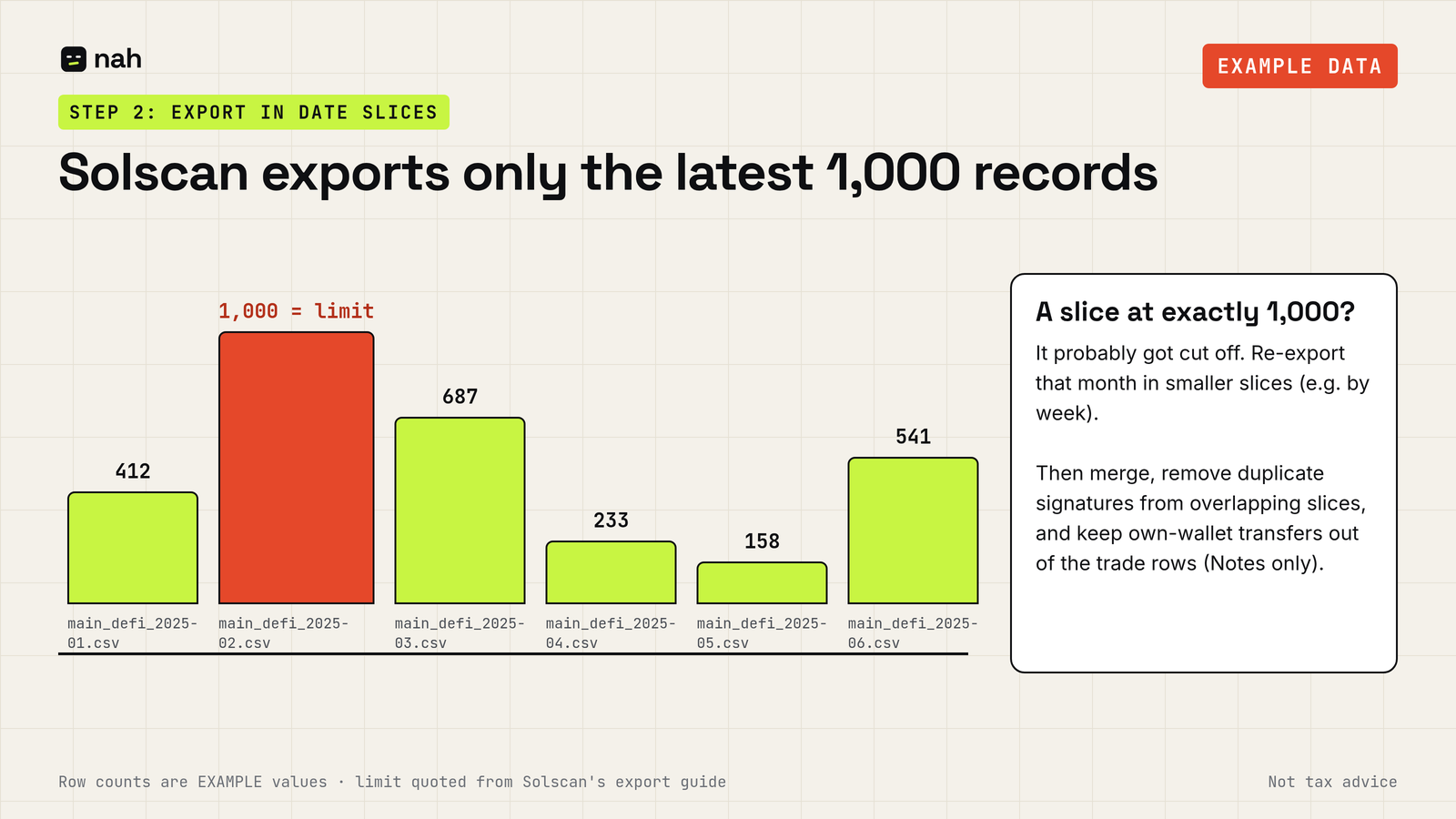
Open solscan.io and enter the address. Solscan's guide adds what matters (>Solscan: How to Export CSV Transaction History):
So export in date slices (for example month by month) and check that no file hits 1,000 rows. Name files clearly, e.g. main_defi_2025-01.csv. Export both DeFi Activities and Transfers for every address.
Paste all slices for one wallet into one sheet and sort by time. Then:
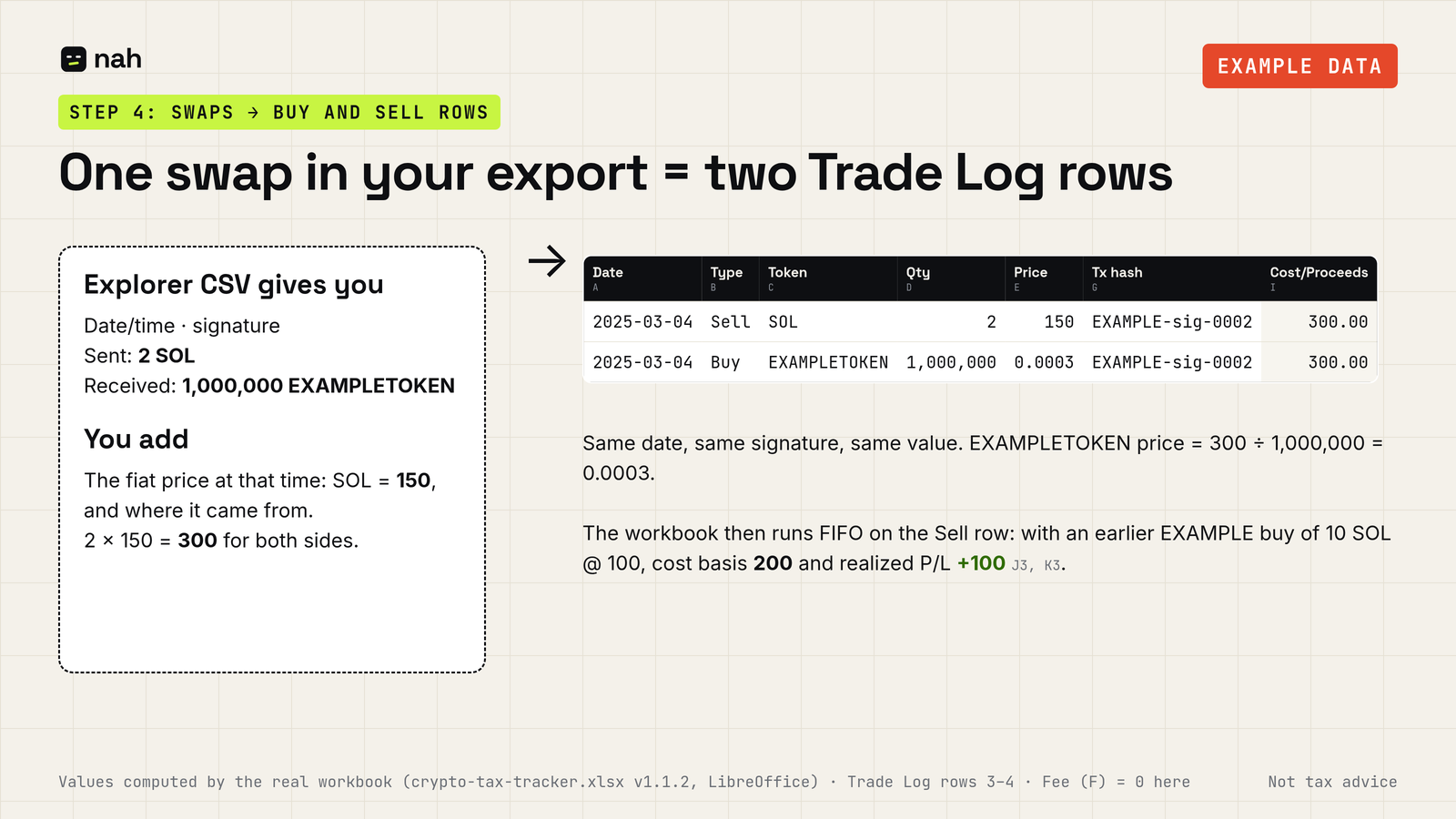
Log each swap as two rows with the same date and signature: a Sell of what you gave and a Buy of what you received, both at the same value in your reporting currency.
EXAMPLE: on 2025-03-04 you swapped 2 SOL for 1,000,000 EXAMPLETOKEN, with SOL at 150 (EXAMPLE price). Both sides are worth 2 × 150 = 300, so the token price is 300 ÷ 1,000,000 = 0.0003.
| Date | Type | Token | Qty | Price (per token) | Fee | Tx hash |
|---|---|---|---|---|---|---|
| 2025-03-04 | Sell | SOL | 2 | 150 | 0 | EXAMPLE-sig-0002 |
| 2025-03-04 | Buy | EXAMPLETOKEN | 1,000,000 | 0.0003 | 0 | EXAMPLE-sig-0002 |
If you need separate records per wallet or account, keep one sheet per wallet; whether you need that is a question for your tax advisor. Keep the original CSVs unedited next to your cleaned sheet.
Disclosure: I make a paid template for the spreadsheet part: Nah Crypto Tax Tracker (29 USDC). Log buys and sells (swaps as a sell plus a buy) and get FIFO cost basis, realized gain/loss per year (Summary covers 2024–2030) and current holdings by token. Airdrops are not calculated automatically: you can log them manually as a Buy row at a value you choose (e.g. 0 or fair value; ask an advisor which), as explained in the guide. The workbook accepts only Buy and Sell rows; transfers and staking can only be noted in the Notes column and are not calculated. Selling more than you've logged is flagged OVERSOLD; on the same date, put a token's Buy row above its Sell row. FIFO runs across everything in one file, so keep one copy per wallet if you need per-wallet records. You can do everything above without it. Nah Crypto Tax Tracker
Not tax advice. Rules differ by country and change over time; check with a qualified tax professional. Crypto assets are volatile and you can lose some or all of your money; do your own research. Nah is not affiliated with, endorsed by or sponsored by Phantom, Solscan or Solana; names only describe where data comes from.