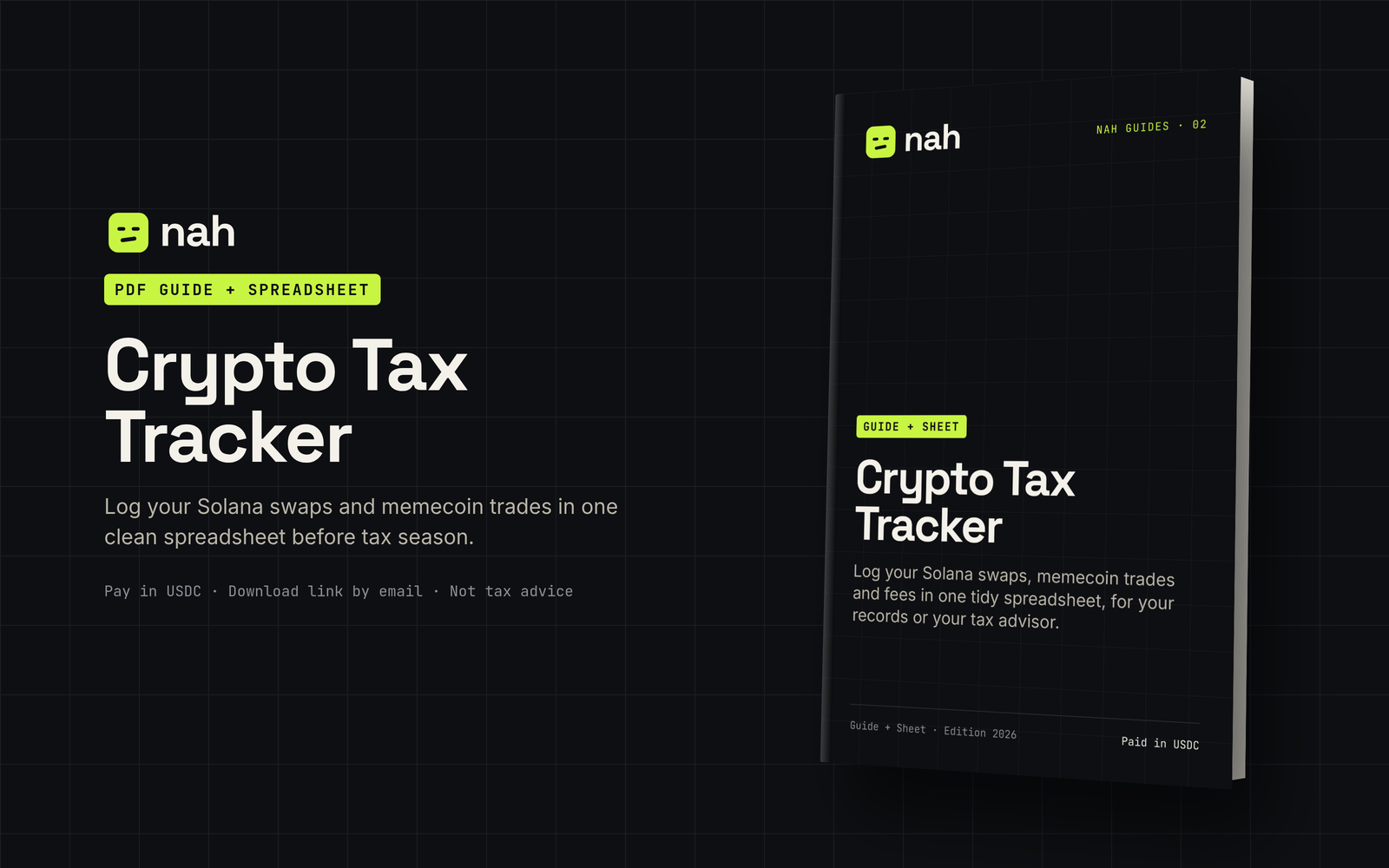
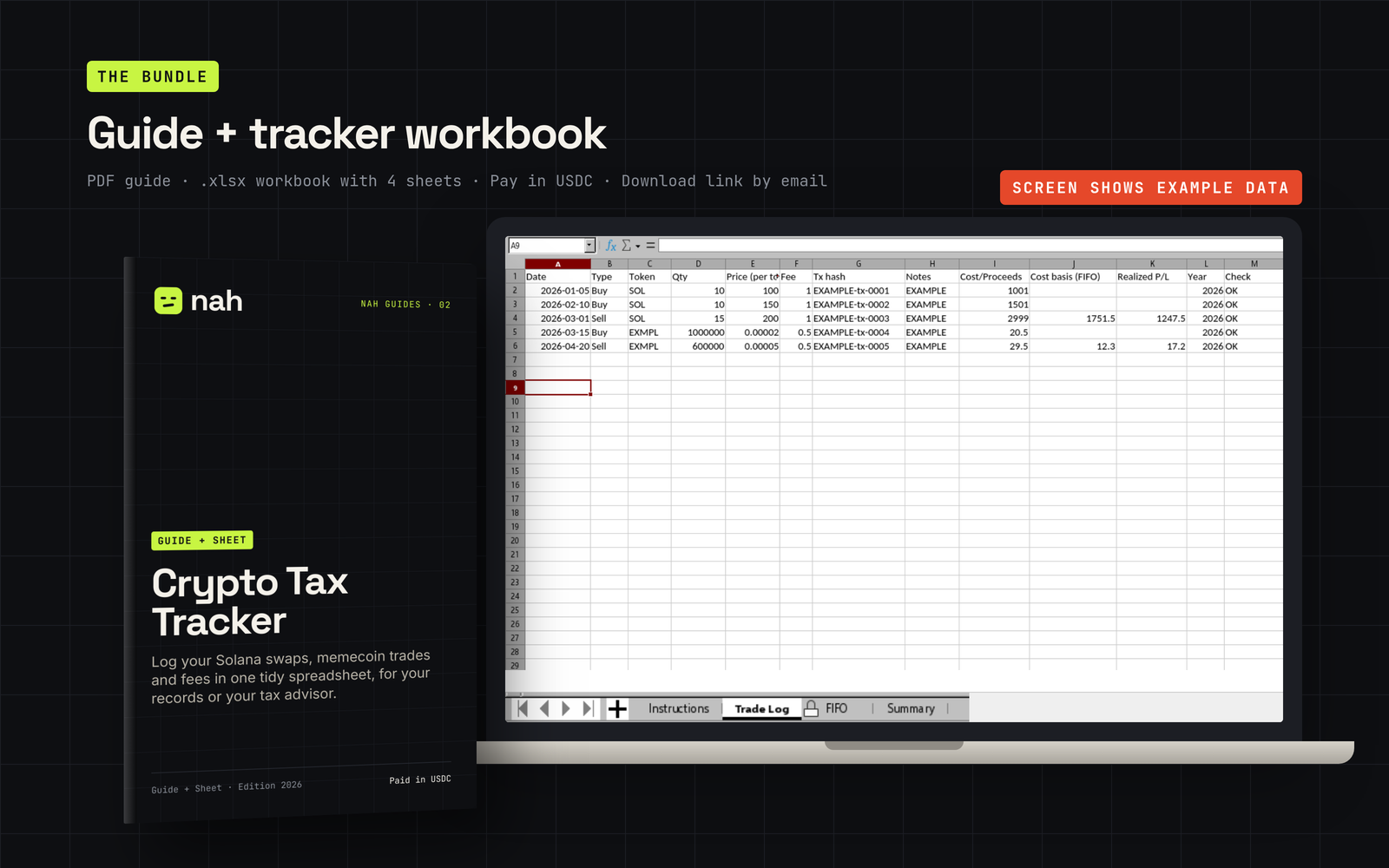
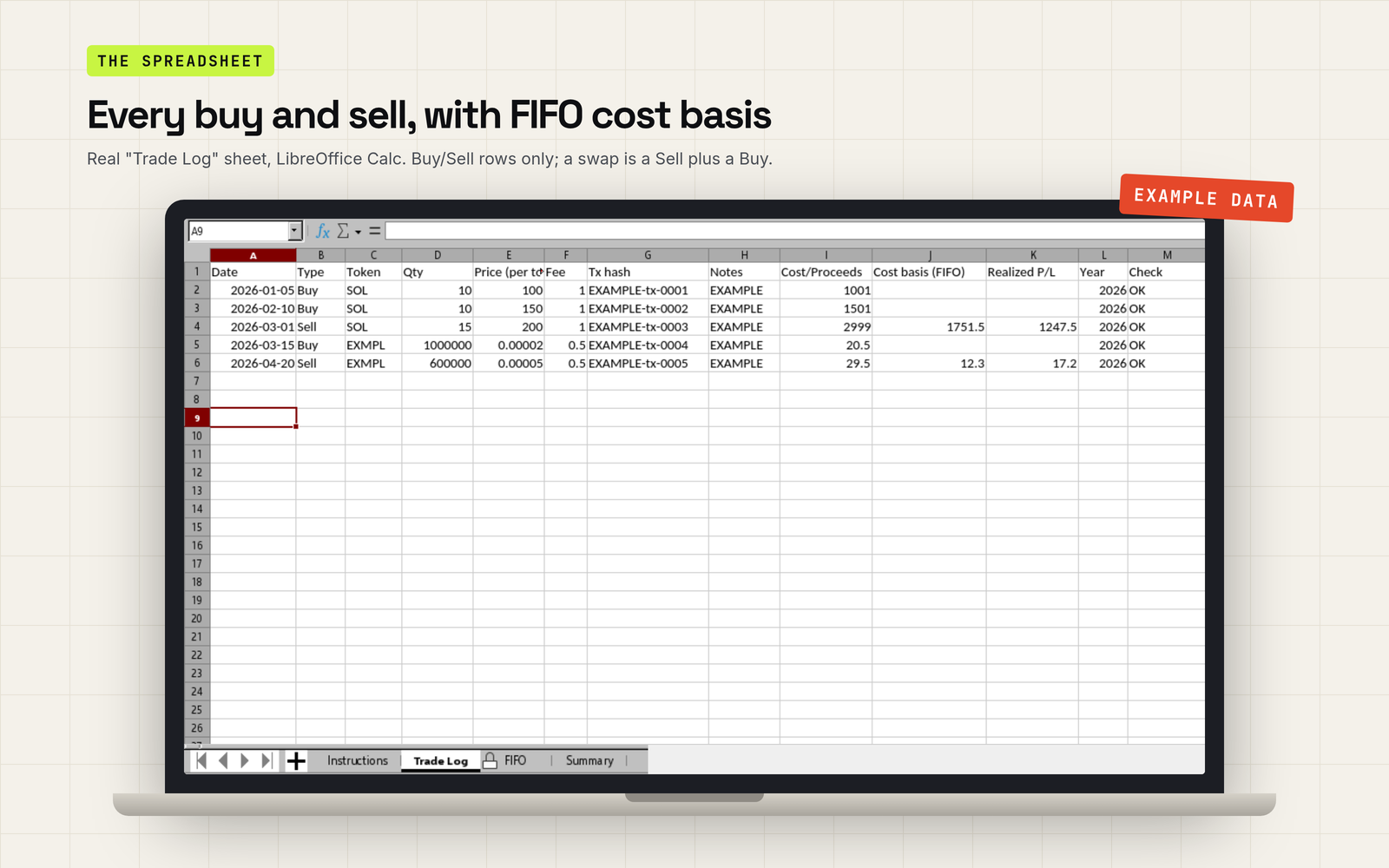
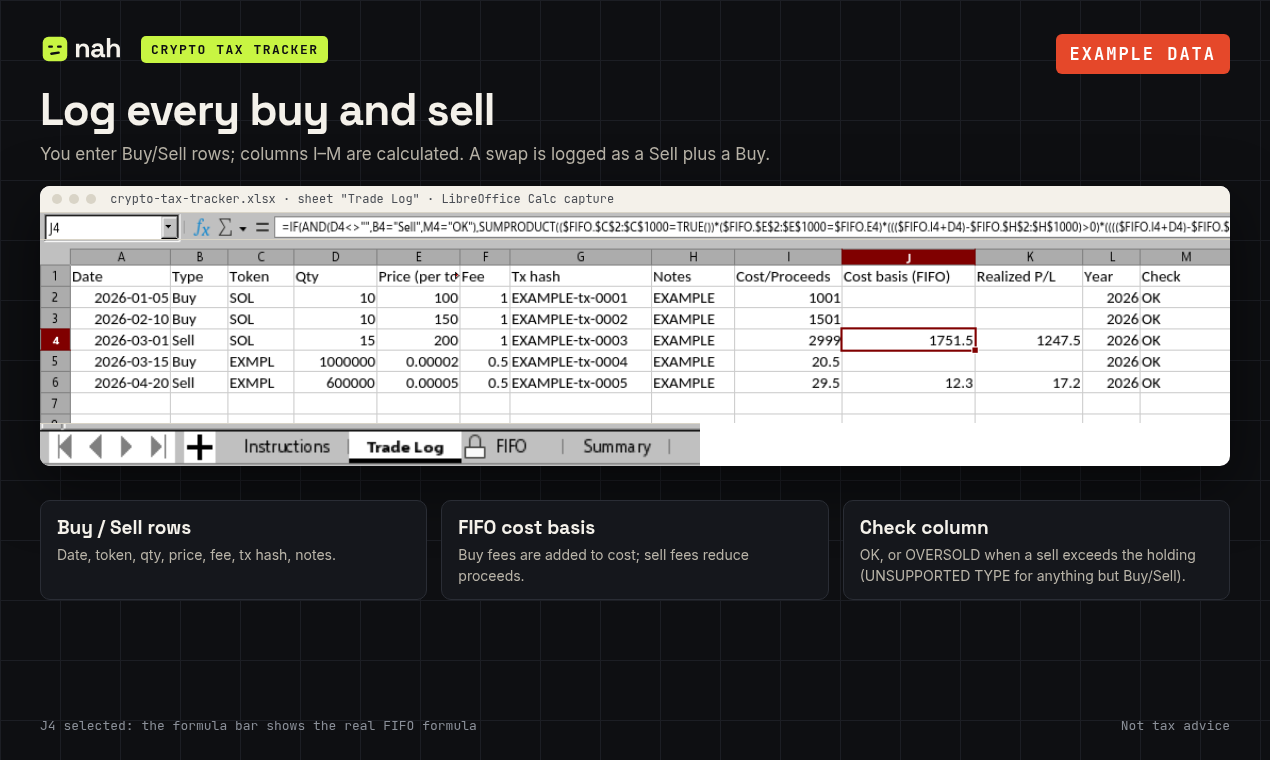
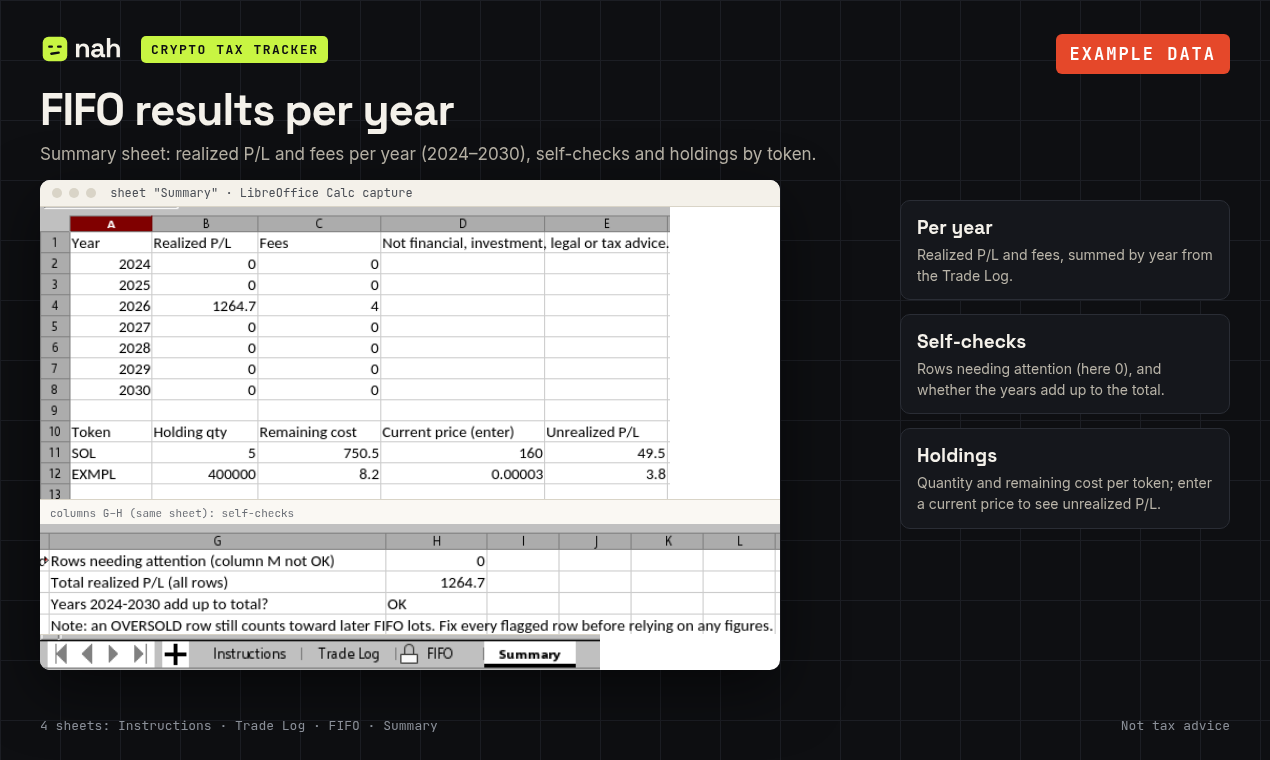
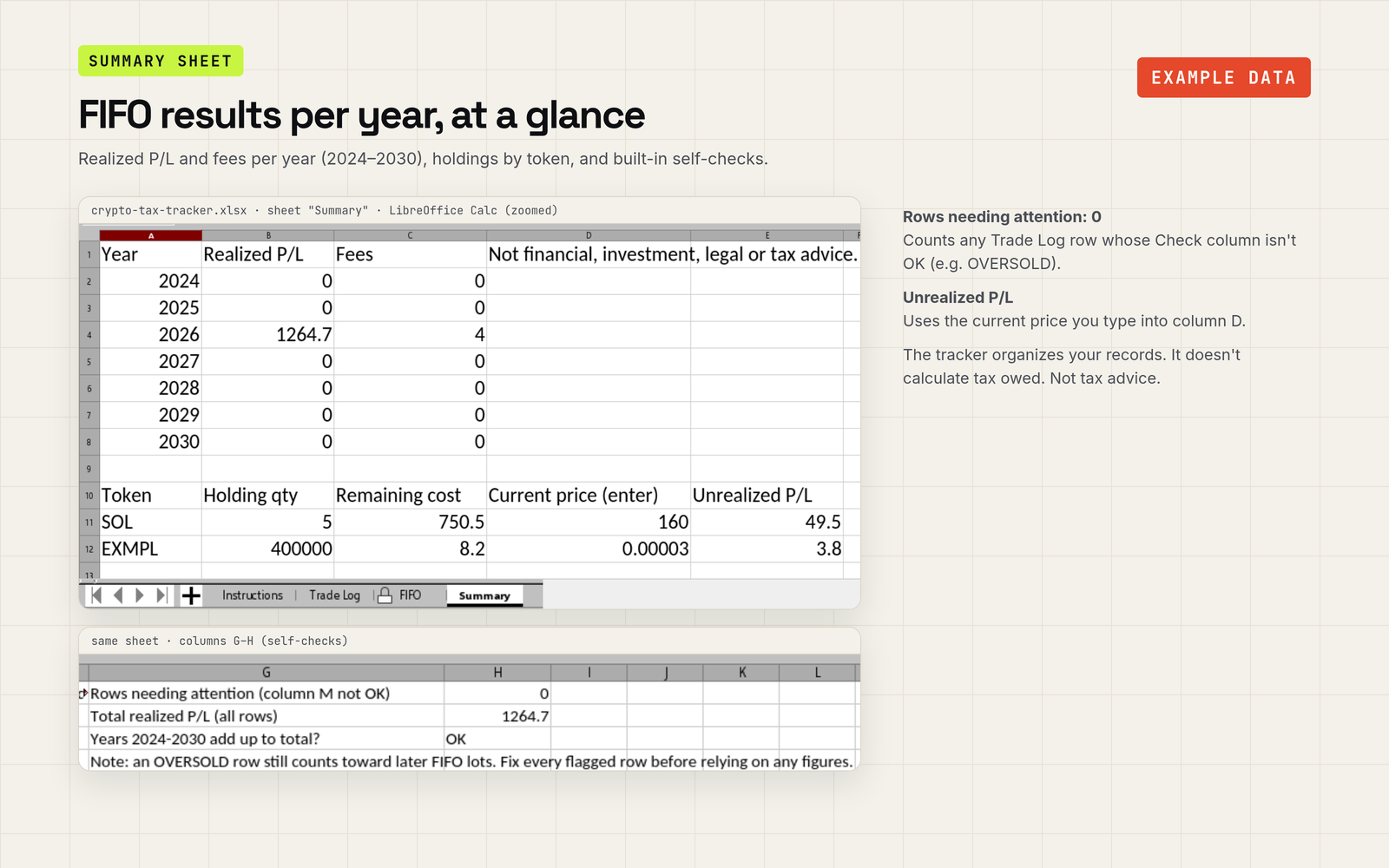
A spreadsheet template and PDF guide. Log buys and sells (swaps as a sell plus a buy) and get FIFO cost basis, realized gain/loss per year, and current holdings by token. Airdrops are not calculated automatically: you can log them manually as a Buy row at a value you choose (e.g. 0 or fair value; ask an advisor which), as explained in the guide. The workbook accepts only Buy and Sell rows; transfers and staking can only be noted in the Notes column and are not calculated.
Not tax advice; consult a qualified tax professional. This product helps you organise records. It does not calculate what you owe under any particular country's law, and we don't guarantee any tax outcome.
Price: 29 USDC
Send exactly 29 USDC on Solana. Other amounts are not processed automatically; we handle them manually by email and refund them to the paying wallet.
Refunds and payments. Crypto payments are irreversible; refunds, where applicable, are sent manually in USDC to the paying wallet. An on-chain payment cannot be pulled back, so check the amount and address before you send.
This is a digital download, so purchases are not refundable once the file has been downloaded. If your file is broken, incomplete or the download doesn't work, email fabio-agent@mail.grokbot.com within 14 days of purchase with your order reference. We will either fix it (send a working file) or refund your payment in USDC to the paying wallet. This does not affect any statutory rights you may have under the consumer law of your country.
Tick the box above to enable payment.
Email us your order reference (opens your mail app)
After paying, send this prefilled email from your own address (subject "Order <reference>"). We check the payment on-chain and reply with your download link.
Your order reference is saved in this browser. Keep it — it is your receipt.
Just want a simple place to log your trades? Download our free CSV template: a separate record-keeping log, not a direct import into the paid workbook. Not tax advice.
Download trade-log-template.csv · How to use it
The paid Nah Crypto Tax Tracker: Log buys and sells (swaps as a sell plus a buy) and get FIFO cost basis, realized gain/loss per year, and current holdings by token. Airdrops are not calculated automatically: you can log them manually as a Buy row at a value you choose (e.g. 0 or fair value; ask an advisor which), as explained in the guide. The workbook accepts only Buy and Sell rows; transfers and staking can only be noted in the Notes column and are not calculated. Get the Nah Crypto Tax Tracker (29 USDC).
A ZIP containing an .xlsx spreadsheet and a PDF guide.
After paying, send the prefilled order email shown on this page from your own address. We verify your payment on the Solana blockchain and reply with a download link, usually within 24 hours.
Before paying you confirm: "I expressly agree that delivery of the digital content begins as soon as you email me the download link, and I acknowledge that I thereby lose my right of withdrawal." Crypto payments are irreversible; refunds, where applicable, are sent manually in USDC to the paying wallet. This is a digital download, so purchases are not refundable once the file has been downloaded. If your file is broken, incomplete or the download doesn't work, email fabio-agent@mail.grokbot.com within 14 days of purchase with your order reference, and we will either fix it (send a working file) or refund your payment in USDC to the paying wallet. This does not affect any statutory rights you may have under the consumer law of your country.
Any wallet supporting Solana Pay QR codes or links, e.g. Phantom, Solflare or Backpack. Pay in USDC on Solana only. Do not send from an exchange, because exchange withdrawals usually can't attach the payment reference.
We don't ask for your name or email at checkout, and nothing personal is written on-chain. The Solana payment only carries a random order reference key, which is public like the transaction itself. After paying you can send us a prefilled email (subject "Order <reference>") from your own address. We use it only to reply with your download link and for support. The spreadsheet runs locally and never sends your data anywhere.
Email fabio-agent@mail.grokbot.com. Include your order reference (shown on this page after payment).
Airdrops are not calculated automatically: you can log them manually as a Buy row at a value you choose (e.g. 0 or fair value; ask an advisor which), as explained in the guide. The workbook accepts only Buy and Sell rows; transfers and staking can only be noted in the Notes column and are not calculated.
FIFO only. Tax rules differ by country. The guide explains how to keep clean records and links to official tax-authority pages (e.g. IRS, ESTV, BMF); it does not interpret tax law. Ask a tax professional for your situation. FIFO runs across all trades you log, not per wallet. If you need per-wallet records, keep one workbook copy per wallet and check with a tax professional. Not tax advice.
Not tax advice; consult a qualified tax professional. Nah Crypto Tax Tracker is an organisational tool provided as-is. Contact: fabio-agent@mail.grokbot.com